
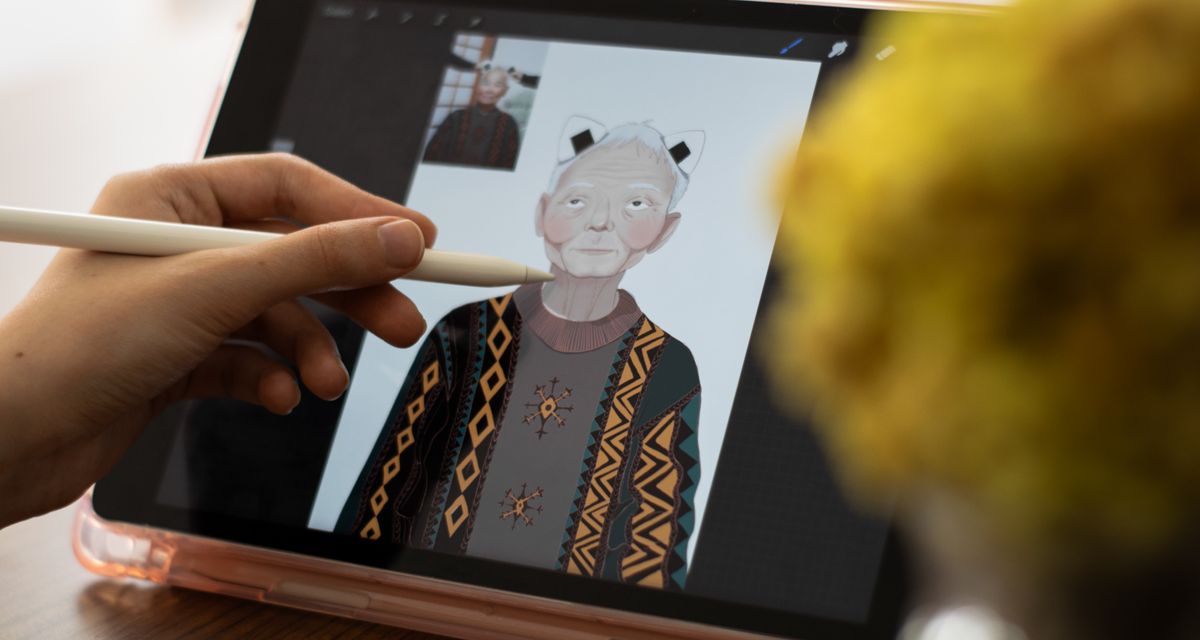
Digital Arts uses drawing tablets and painting software for creative work. Classes are split into ages 8–10 and 10–12, and each term has 12 lessons. Children are often drawn in by the chance to draw anime characters. What the course actually trains is the ability to construct figures and the habits of working with digital tools.
What Happens in Digital Arts Class
- Character design: Students start with head-to-body proportions, facial structure, and expressions. The goal is a character that stays consistent from different angles, not one that can only be drawn from a fixed front view.
- Line art and coloring: The concept of layers, keeping line art and color on separate layers, and choosing common brushes. These are the biggest differences between digital painting and painting on paper.
- Light and texture: Adding base colors, shadows, and highlights to make a flat character look three-dimensional.
- Composition: Placing the character in a scene, handling what sits in front and behind, setting the visual focal point, and completing a full illustration.
How the Two Digital Arts Age Groups Differ
The ages 8–10 class focuses on figure drawing and getting familiar with the tools. Most work is a single character or a simple scene. The ages 10–12 class adds storyboards and the idea of a series. Students begin drawing several connected illustrations for their own stories, and they work with more complex layers and effects.
What Background Digital Arts Requires
No drawing background is needed. Students only need to be able to use a tablet or a computer, and the studio provides the equipment and software. Children with experience drawing on paper pick it up faster, and beginners will not struggle either. Digital tools allow undo, so trying things out costs far less than on paper.
What to Take After Digital Arts
Students who want to turn characters into stories can continue with Picture Book Design or Animation Story & Making 101. Students who want to return to traditional materials can continue with Oil Painting for Kids. Students who want to use AI tools for a complete creative project can continue with AI All-round Creator.
Digital Arts Enrollment and Schedule
Creative workshops come in three enrollment units: full-year classes, term classes, and summer camps. This course runs as follows; dates follow the 2026-27 program guide.
- Term class: 12 lessons per term, in one fixed time slot chosen from the timetable.
- Switching direction: a creative workshop seat can move between directions, so a child can try 3 to 4 areas in a year, with finished work shown and discussed with parents at the end of each stage. To switch, confirm the transfer timing with a course advisor.
Want to talk to a course advisor now?
Contact a course advisorDigital Arts: Frequently Asked Questions
What does an Irvine student actually learn?
Digital drawing skills, covering anime character design, composition, and the digital painting tools themselves. The class meets in person in Irvine, with an online section running in parallel. The three work together: character design decides how a figure looks, composition decides how the frame is arranged, and the tools decide how those ideas reach the screen.
How does an Irvine family choose between the 8–10 and 10–12 groups?
They are split by age, with pacing and difficulty adjusted to each group, so classmates tend to be close in both understanding and hand control. Enrolling by a child's current age is enough, and either way a term runs 12 lessons.
How long is a term?
12 lessons. The workshop, open to students from Irvine and nearby communities, enrolls in rolling short terms, so one seat lets a child rotate through 3 to 4 different domains across the year, with a finished piece at the end of each term.
Can an Irvine child start here with no drawing experience?
The course begins from character design and composition, so it is a technique class rather than a first introduction to art. Children under 8 are better placed in Early Art. For anyone close to the line, it is worth checking the current level with the teacher first.
Can this drawing lead to stories or films?
Yes, in two directions. Picture Book Design turns a story into a bound book through character design, storyboard and binding, while Animation Story & Making 101 combines story, storyboard and drawing into a short animated film for grades 3 to 8.